1. Choose a picture
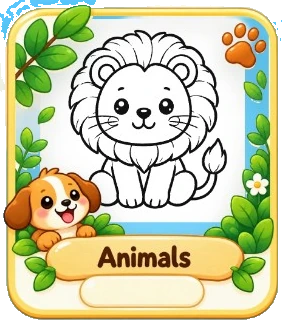
Open a world such as Animals or Dinosaurs. Simpler outlines are kinder for a first try. You can colour in the browser without creating an account.
2. Choose a colour
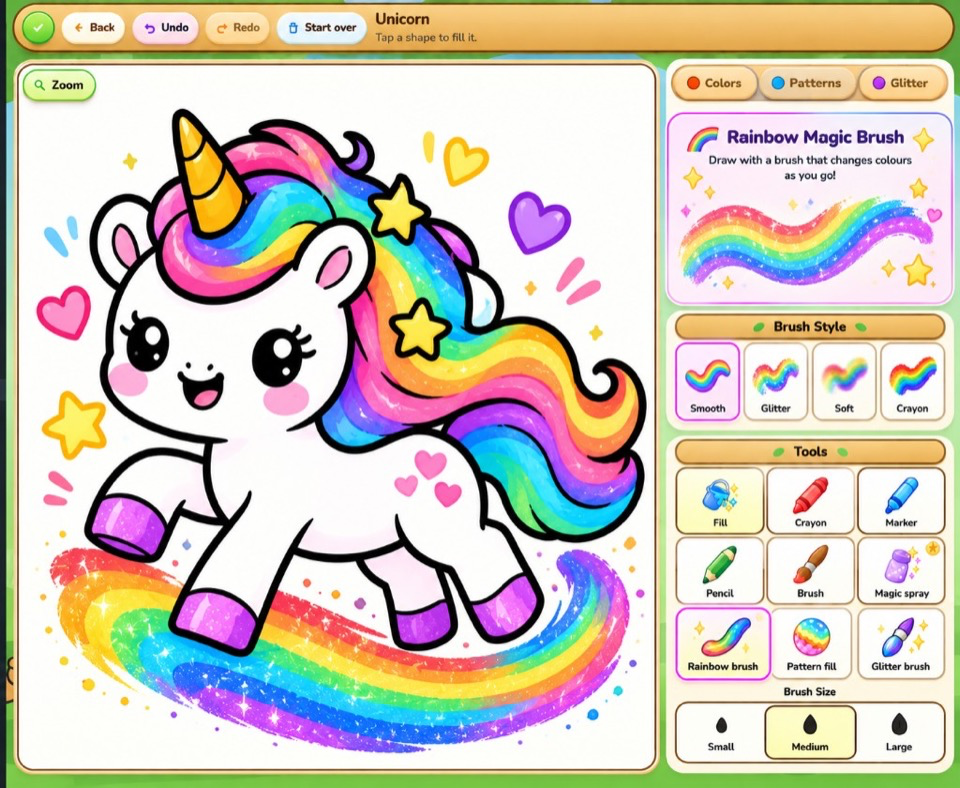
The kit on the side (or below on a phone) holds ordinary colours and magical tabs. Start with an ordinary colour. Puffy Paint is also fully available. Other magical tabs include a small free set.
3. Tap to fill
Select Fill, then tap a closed shape. The colour should stay inside the line. If a tap colours more than you meant, undo.
4. Try a brush if you want
Crayon, marker, pencil and brush draw instead of filling a whole shape. Rainbow Brush changes colour as you move. You can mix Fill for big areas and a brush for details.
5. Undo, start over, zoom
Undo steps back. Start over clears the picture. Zoom helps on small regions, especially on a phone.
6. Saving
Colouring stays on this device as you play. Create an account if you want the same pictures on another phone or tablet, or if you want to start Annual or Lifetime. Creating an account does not unlock extra pictures by itself.
If a picture is locked
Some pictures need Annual ($1 per month billed annually) or Lifetime ($30 once). Free Flow and Mirror Drawing stay free. Magic Colour Mixing is a Premium studio.
More activity types are listed in online colouring activities.
After colouring: play in 3D
Ordinary worlds stay pictures. Bring Your Art to Life is a separate gallery. Colour a supported character, tap Bring to Life, and explore in 3D. The Bear is free to try. Read the 3D colouring guide when you want that extra step.